
Govee Glide Hexa vs Nanoleaf Shapes
The two best-known smart hexagon kits side by side: Govee's RGBIC Glide Hexa and Nanoleaf's RGBW Shapes, and who should pick each.
 By Ethan Cole
Updated November 2, 2026
Govee’s Glide Hexa and Nanoleaf’s Shapes Hexagons are the two smart hexagon kits most people compare. Both are modular Wi-Fi panels with app effects, music modes, and voice control. They differ in color technology, screen sync, expansion, and how many panels you get to start.
This comparison uses each maker’s Amazon listing and the products’ rating histories at the time of review (October 31, 2026). For the full field, see the best hexagon lights.
Quick Answer
Buy the Govee Glide Hexa for a hexagon wall with music and scenes: it has more panels in the box and a longer, higher rating history. Buy Nanoleaf Shapes if you want a white LED channel, Screen Mirror, or plan to mix in triangles later.

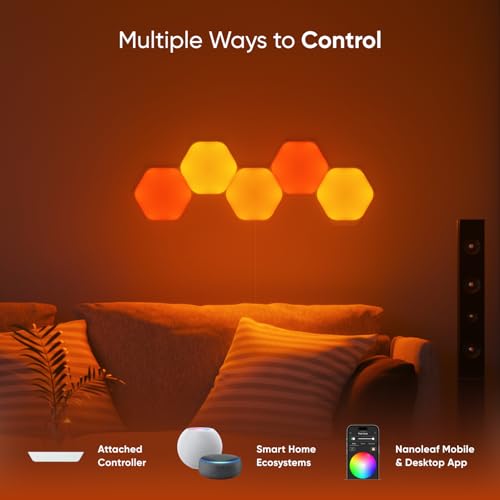
Govee Glide Hexa Light Panels


As an Amazon Associate we earn from qualifying purchases. Product prices and availability are accurate as of the date/time indicated.

Nanoleaf Shapes Hexagon Lights
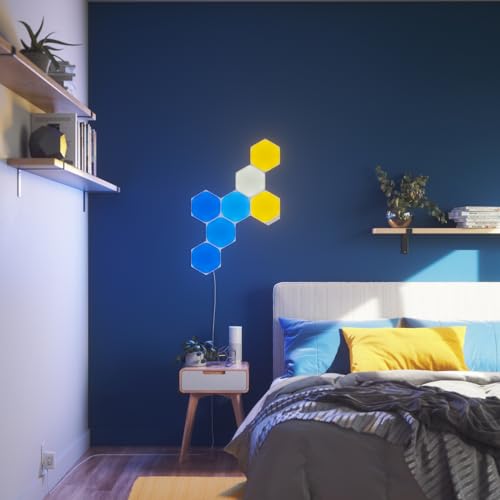


As an Amazon Associate we earn from qualifying purchases. Product prices and availability are accurate as of the date/time indicated.
Side by Side
| Feature | Govee Glide Hexa | Nanoleaf Shapes Hexagons |
|---|---|---|
| Panels in kit | 10 | 7 (Smarter Kit) |
| LED type | RGBIC (multi-color edges) | RGBW (white channel) |
| Screen sync | Not listed | Screen Mirror (Match mode) |
| Music | 6 music modes | Rhythm scenes |
| Mix other shapes | No | Triangles and Mini Triangles |
| Max size | 12 panels per adapter | Up to 500 panels (Nanoleaf) |
| Voice | Alexa, Google Assistant | Alexa |
| Rating at review | 4.5 stars, about 1,760 ratings | 4.2 stars, about 390 ratings |
Color: RGBIC vs RGBW
Govee’s RGBIC panels can show several colors per panel, which makes gradients and flowing effects smoother. Nanoleaf’s RGBW panels add a dedicated white LED, which gives a cleaner white for everyday lighting. If you plan to run the wall in color effects most of the time, RGBIC is the more visible difference; if you often want plain white, RGBW is.
Screen Sync
Nanoleaf lists Screen Mirror on Shapes, which copies the colors on your computer screen to the panels. The Glide Hexa does not list screen sync; Govee reserves it for the pricier Glide Hexagon Light Panels Ultra.
Expansion and Layout
Nanoleaf is the more flexible system: hexagons, triangles, and mini triangles share one layout, and Nanoleaf says designs can reach 500 panels. The Glide Hexa is hexagons only, and one adapter runs up to 12 panels. The Govee app detects your layout automatically, which makes effects line up without manual mapping.
Ratings and Value
The Glide Hexa has the stronger rating history at the time of review and includes three more panels than the Nanoleaf kit. Nanoleaf costs more per panel. Prices change, so compare the current per-panel price for the pack sizes you are considering.
Who Should Pick Govee
- You want the most panels to start
- You care most about music effects and flowing color
- You use Google Assistant as well as Alexa
Who Should Pick Nanoleaf
- You want Screen Mirror at a desk
- You want a clean white mode
- You plan to add triangles or build a very large design
Who Should Look Elsewhere
- Budget buyers: USB kits in our hexagon lights under $50 guide cost far less
- Matter homes: Govee’s Mini Panel Lights list Matter
- PC gamers who want game sync from Govee: see the Glide Hexagon Ultra
Check current pricing and availability for the Govee Glide Hexa Light Panels.
Check current pricing and availability for the Nanoleaf Shapes Hexagons Smarter Kit.
How We Compared Them
We did not install either kit ourselves. This comparison uses each maker’s Amazon listing and the products’ rating histories at the time of review, on the same criteria as every kit in our LED wall light panels category. Full reviews: Govee Glide Hexa and Nanoleaf Shapes Hexagons. Our method is on the How We Review page.
Frequently Asked Questions
Is Govee or Nanoleaf better?
Neither is better for everyone. Govee’s Glide Hexa has the stronger rating history and more panels; Nanoleaf Shapes has a white channel, Screen Mirror, and mixes shapes.
Can Govee and Nanoleaf panels connect together?
No. They use different connectors, controllers, and apps.
Which is easier to set up?
Both mount with adhesive and use a phone app. Govee’s app recognizes the layout automatically; Govee asks you to press each panel for 30 seconds when mounting.
About the author
Ethan Cole leads research and editing at WikiHomeLED, comparing LED lighting for the home through manufacturer specs, manuals, safety listings and owner feedback. Every product is scored against the criteria on our How We Review page, and picks are updated when models change.