
Govee Gaming Light Bars vs Gaming Light Bars Pro
Govee's original H6047 gaming light bars against the newer Gaming Light Bars Pro: what the Pro adds, what the H6047 keeps, and who should buy each.
 By Ethan Cole
Updated November 2, 2026
Govee sells two gaming light bar pairs for desks: the original RGBIC Gaming Light Bars H6047 and the newer Gaming Light Bars Pro. Both are RGBIC, both react to sound, and both work with Razer Chroma. The differences are screen sync, the controller, smart home support, and design.
This comparison uses Govee’s Amazon listings and the rating histories at the time of review (October 31, 2026). For every desk bar, see the best desk light bars.
Quick Answer
Buy the Pro if you want the bars to follow your screen on a Windows PC or want Matter. Buy the H6047 if you want a physical dial on the desk, a longer rating history, and a lower price, and do not need screen sync.

Govee RGBIC Gaming Light Bars H6047 with


As an Amazon Associate we earn from qualifying purchases. Product prices and availability are accurate as of the date/time indicated.

Govee Gaming Light Bars Pro,16-Inch Smart RGBIC




As an Amazon Associate we earn from qualifying purchases. Product prices and availability are accurate as of the date/time indicated.
Side by Side
| Feature | Gaming Light Bars H6047 | Gaming Light Bars Pro |
|---|---|---|
| Bar height | About 16.7 in | 16 in |
| Lighting | RGBIC | RGBIC, triple-sided |
| Screen sync | No (stated) | Govee Desktop, Windows only |
| Razer Chroma | Yes, via Razer Synapse 3 | Yes |
| Controller | Desktop dial | App and voice |
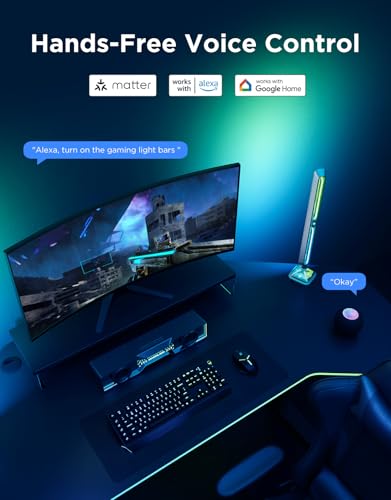
| Smart home | Alexa, Google Assistant | Matter, Alexa, Google Home |
| Music | Reacts to speaker and headphone audio (per Govee) | Built-in microphone |
| Rating at review | 4.7 stars, about 1,860 | 4.7 stars, about 290 |
Screen Sync Is the Main Difference
Govee says plainly that the H6047 has no camera and does not pick colors from the screen. The Pro syncs with your screen through Govee Desktop, which Govee lists as Windows only. Neither bar color-matches on its own, and neither follows a console. If screen sync is not on your list, the H6047 covers everything else.
Controller and Smart Home
The H6047 comes with a desktop dial for brightness, modes, colors, and power, which is handy mid-game. The Pro drops the dial in favor of app and voice control and adds Matter, so it works across Alexa, Google Home, and other Matter platforms with no hub.
Design
The Pro lights on three sides through clear front and base plates, with a metal-look finish and a weighted base. The H6047 is a more conventional pair of standing RGBIC bars.
Who Should Pick the H6047
- Gamers who want a physical dial
- Buyers who do not need screen sync
- Anyone who wants the longer rating history
Who Should Pick the Pro
- Windows PC gamers who want screen sync
- Matter smart homes
- Buyers who like the triple-sided look
Who Should Look Elsewhere
- Mac users who want screen sync (see RIYO in our desk light bar guide)
- Living-room TV setups (see the best light bars for TV)
- Budget buyers (see RGB light bars under $30)
Check current pricing and availability for the Govee RGBIC Gaming Light Bars H6047.
Check current pricing and availability for the Govee Gaming Light Bars Pro.
How We Compared Them
We did not set up either pair ourselves. This comparison uses Govee’s Amazon listings and the rating histories at the time of review, on the same criteria as every bar in our gaming light bars category. Full review: Govee Gaming Light Bars Pro. Our method is on the How We Review page.
Frequently Asked Questions
Do Govee gaming light bars sync with my PC game?
The Pro syncs with your screen through Govee Desktop on Windows. The H6047 does not pick colors from the screen but works with Razer Chroma through Razer Synapse 3.
Which Govee gaming light bar works with Matter?
The Pro lists Matter. The H6047 lists Alexa and Google Assistant.
Can Govee gaming light bars react to headphone audio?
Govee says the H6047 can pick up sound from headphones as well as speakers. The Pro listing describes a built-in microphone for ambient sound.
About the author
Ethan Cole leads research and editing at WikiHomeLED, comparing LED lighting for the home through manufacturer specs, manuals, safety listings and owner feedback. Every product is scored against the criteria on our How We Review page, and picks are updated when models change.