
10 Best Desk Light Bars in 2026
Ten desk light bars for gaming and PC setups compared, from Govee and Razer standing bars to screen-sync and under-monitor USB bars.
 By Ethan Cole
Updated November 2, 2026
Desk light bars light the space around a computer. Some stand beside the monitor and wash the wall with color; others stick under or behind the monitor and light the desk and keyboard. A few sync with what is on screen through PC software.
This guide covers RGB desk bars for gaming and PC setups. It does not cover white monitor light bars (screenbars) that clip on top of a monitor for reading and work. For TV-sized bars, see the best light bars for TV.
All Products Compared
| Product | Best For | Type | Screen Sync | Power | Control |
|---|---|---|---|---|---|
| Govee Gaming Light Bars Pro | Best Overall | Standing pair | Yes, Govee Desktop (Windows) | Adapter | App, Alexa, Google, Matter |
| KANTUTOE Under Monitor Light Bar (2 Pack) | Best Under-Monitor Bars | Stick-on, 15.7 in | No | USB | App, remote |
| RIYO Smart Gaming Light Bars | Best Screen Sync for Mac | Standing pair | Yes, AKKLED (Windows, macOS) | USB | Desktop app |
| Govee RGBIC Gaming Light Bars H6047 | Best Desk Dial | Standing pair | No (Razer Chroma via Synapse) | Adapter | Dial, app, Alexa, Google |
| Enbrighten Vibe Gaming Light Bars | Wi-Fi on a USB Bar | Standing | No | USB, 5V/2A | Enbrighten app |
| JUSJUBR Under Monitor RGB Light Bar | Most Ratings Under the Monitor | Stick-on, 12 in | No | USB | Remote, inline switch |
| TJOY Smart Light Bar | Rotating Bars | Standing or mounted | No | USB | DAYBETTER app, remote |
| Razer Aether Standing Light Bars | Best for Razer Chroma | Standing pair, reversible | Razer Chroma effects | Single USB-C | Razer Gamer Room, Alexa, Google, Matter |
| BASON Smart Light Bars | RGB Plus White, USB | Standing pair | No | USB | Bluetooth app |
| Haloak Smart Gaming Light Bar | Budget Standing Bar With Timer | Standing | No | USB | App, remote, cable buttons |
| Award | Product | WikiHomeLED Score About WikiHomeLED ScoreThe WikiHomeLED Score is our own rating from 0 to 10, calculated the same way for every product from Amazon buyer ratings, adjusted for how many ratings each product has. It is never influenced by manufacturers, retailers, or affiliate commissions. Learn more › | Price | |
|---|---|---|---|---|
| Best Premium |
 Govee Gaming Light Bars Pro,16-Inch Smart RGBIC |
8.4/10 | $79.99 | Buy |
| Best Budget |
 KANTUTOE Under Monitor Light Bar |
8.3/10 | $21.99 | Buy |
 RIYO Smart Gaming Light Bars RGBIC Screen Color |
8.1/10 | $29.99 | Buy | |
| Best Overall |
 Govee RGBIC Gaming Light Bars H6047 with |
8.8/10 | $59.99 | Buy |
| Best Value |
 Enbrighten Vibe Smart Color-Changing Gaming Light |
8.2/10 | $36.99 | Buy |
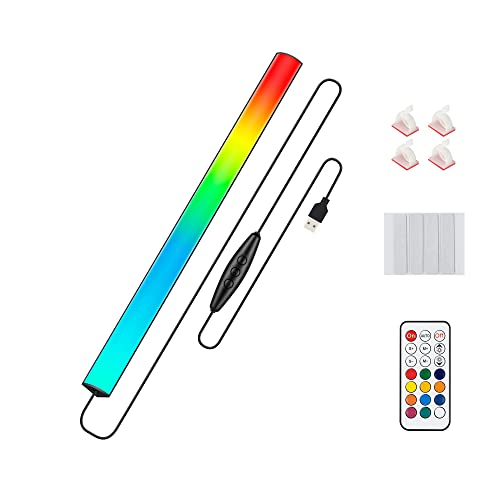 Under Monitor RGB Light Bar |
8.1/10 | $14.99 | Buy | |
 TJOY Smart Light Bar, RGB Desk Lights for |
8.1/10 | $19.94 | Buy | |
 Razer Aether Standing Light Bars, Chroma RGB |
8.1/10 | $180.03 | Buy | |
 BASON LIGHTING Smart Light Bars |
8.1/10 | $25.69 | Buy | |
 Haloak Smart Gaming Light Bar Ambient Lighting |
8.1/10 | $23.99 | Buy |
Govee Gaming Light Bars Pro,16-Inch Smart RGBIC
KANTUTOE Under Monitor Light Bar
RIYO Smart Gaming Light Bars RGBIC Screen Color
Govee RGBIC Gaming Light Bars H6047 with
Enbrighten Vibe Smart Color-Changing Gaming Light
Under Monitor RGB Light Bar
TJOY Smart Light Bar, RGB Desk Lights for
Razer Aether Standing Light Bars, Chroma RGB
BASON LIGHTING Smart Light Bars
Haloak Smart Gaming Light Bar Ambient Lighting
Top 3 Desk Light Bars Reviewed
#1 Govee Gaming Light Bars Pro: Best Overall
Why We Picked It
The Gaming Light Bars Pro are Govee’s desk bars with screen sync. They are rated 4.7 stars on about 290 ratings. Each 16 inch bar lights on three sides through clear front and base plates, stands on a weighted base, and needs no mounting.
Screen sync runs through Govee Desktop, which Govee says is Windows only; the bars themselves do not color-match. They also support Razer Chroma, react to sound through a built-in microphone, and work with Matter, Alexa, and Google Home with no hub.
Key Specifications
- Bars: 2, 16 in
- Lighting: RGBIC, triple-sided
- Screen sync: Govee Desktop (Windows only)
- Smart home: Matter, Alexa, Google Home
- Base: weighted, no install
| Pros | Cons |
|---|---|
|
|
Things to Consider
We rank it above the higher-scoring Govee H6047 here because screen sync is the main reason to buy a desk bar over a cheaper USB pair, and the H6047 does not do it. On a Mac, see RIYO below.
Best For
Windows gaming desks that want lights to follow the screen.
Skip It If
You use a Mac, or you only want music effects (the H6047 or a USB bar covers that).
Check current pricing and availability for the Govee Gaming Light Bars Pro.
#2 KANTUTOE Under Monitor Light Bar (2 Pack): Best Under-Monitor Bars
Why We Picked It
KANTUTOE’s two 15.7 inch bars stick under or behind a monitor to light the desk, keyboard, or wall. They are rated 4.4 stars on about 450 ratings, pooled across KANTUTOE’s under-monitor listings.
They run from any USB port, remember your last mode, brightness, and speed, and use either an app or a remote. A music mode reacts to sound. They mount with the included tape.
Key Specifications
- Bars: 2, 15.7 in
- Mounting: adhesive tape
- Control: app and remote
- Music: sound mode
- Power: USB, remembers settings
| Pros | Cons |
|---|---|
|
|
Things to Consider
Under a monitor, the bars face the desk, so pick a calm color if you work there; bright dynamic modes reflect off glossy keyboards and desks.
Best For
Keyboard and desk lighting that stays out of sight.
Skip It If
You want standing bars to wash the wall.
Check current pricing and availability for the KANTUTOE Under Monitor Light Bar (2 Pack).
#3 RIYO Smart Gaming Light Bars: Best Screen Sync for Mac
Why We Picked It
RIYO’s bars are the only screen-sync desk bars we found that list macOS: its AKKLED desktop app supports Windows 7 or later and macOS 12 or later. They are rated 4.1 stars on about 130 ratings.
The 17.7 inch RGBIC bars also do adjustable white from 2700K to 6500K, react to sound, and dim steplessly. The fan-shaped base has USB and USB-C output ports (5V/1A) for charging accessories. RIYO notes the bars do not color-match without the desktop app.
Key Specifications
- Bars: 17.7 in
- Screen sync: AKKLED app (Windows 7+, macOS 12+)
- White: 2700K to 6500K
- Base: fan-shaped, USB and USB-C outputs
- Power: USB
| Pros | Cons |
|---|---|
|
|
Things to Consider
Like all software sync, it follows only what your computer shows, not a console plugged into the monitor.
Best For
Mac users who want screen sync and white light from one pair.
Skip It If
You game on a console through the monitor.
Check current pricing and availability for the RIYO Smart Gaming Light Bars.
How to Choose Desk Light Bars
Standing or Under-Monitor
Standing bars sit beside the monitor and light the wall. Under-monitor bars (KANTUTOE, JUSJUBR) stick to the monitor and light the desk and keyboard. Many setups use one of each.
Screen Sync and Your Computer
Govee’s Gaming Light Bars Pro sync through Govee Desktop on Windows only. RIYO’s AKKLED app lists Windows and macOS. Software sync does not follow a console. For a monitor strip that syncs, see the best monitor backlights.
White Light for Work
If you work at the same desk, choose bars with a white mode: RIYO (2700K to 6500K) and BASON list one. Most RGB bars do not.
Power
USB bars plug into the PC or a charger; Enbrighten asks for a 5V/2A source, and RIYO’s base can power small accessories. Govee’s bars use a wall adapter. Razer powers both bars from one USB-C cable.
Not a Screenbar
If you want a white task light that clips on top of the monitor for reading, that is a monitor light bar (screenbar), a different product we cover separately.
How We Evaluate Desk Light Bars
We rank bars with the WikiHomeLED Score, which combines Amazon rating, rating volume, and listing completeness on the same scale for every product; the method is on our How We Review page. We did not set up these bars ourselves. Features come from each seller’s listing at the time of review (October 2026). The top three are one pick per desk use (screen sync on Windows, under-monitor, screen sync on Mac), so the higher-scoring Govee H6047 sits fourth; we say so in its entry. Ratings shared across listings are marked as pooled.
Frequently Asked Questions
What is the best light bar for a gaming desk?
For screen sync on Windows, the Govee Gaming Light Bars Pro. For a Mac, RIYO. For lighting under the monitor, KANTUTOE. If you do not need screen sync, the Govee H6047 has the strongest rating history.
Do desk light bars work with a Mac?
RIYO’s AKKLED software lists macOS 12 or later for screen sync. Govee Desktop is Windows only. USB bars without screen sync work with any computer.
Where should I put an under-monitor light bar?
Under the bottom edge of the monitor, facing the keyboard, or on the back of the monitor facing the wall. KANTUTOE and JUSJUBR both mount with adhesive.
Can desk light bars be powered from my PC?
USB bars can. Check the seller’s power rating; Enbrighten, for example, asks for 5V/2A, which some PC ports may not supply.
Final Verdict
For a Windows gaming desk, the Govee Gaming Light Bars Pro add screen sync, Razer Chroma, and Matter in a stand-alone pair. Mac users should look at RIYO. For light under the monitor, KANTUTOE’s pair has the best record. See more in the gaming light bars category.
About the author
Ethan Cole leads research and editing at WikiHomeLED, comparing LED lighting for the home through manufacturer specs, manuals, safety listings and owner feedback. Every product is scored against the criteria on our How We Review page, and picks are updated when models change.