
Nanoleaf PC Screen Mirror Lightstrip Review
Nanoleaf's PC Screen Mirror Lightstrip is a trimmable zigzag monitor backlight powered by USB-C. We review how it works and where its short rating history leaves questions.
 By Ethan Cole
Updated October 30, 2026
The Nanoleaf PC Screen Mirror Lightstrip is a 2.5 meter (about 8.2 ft) RGBIC strip for 27 to 32 inch monitors. Its zigzag layout and marked cut lines let you trim it to fit, and it runs from a USB-C port on your computer, controlled by the Nanoleaf Desktop App on Windows or Mac.
It is a newer product with a short rating history, which shapes our verdict. For every monitor kit side by side, see our guide to the best monitor backlights.
Our Verdict
On paper the Nanoleaf is one of the more complete monitor kits: Windows and Mac support named, USB-C power with no separate adapter, trimming with automatic remapping, and tunable white from 2700K to 6500K so it can also serve as a plain bias light. It holds 3.7 stars on 26 Amazon ratings at the time of review (October 30, 2026), too few to judge reliability with confidence.
Buy it if you use a Mac or want one strip that does both color sync and neutral white. If you want a long track record, the Govee G1 has far more ratings.
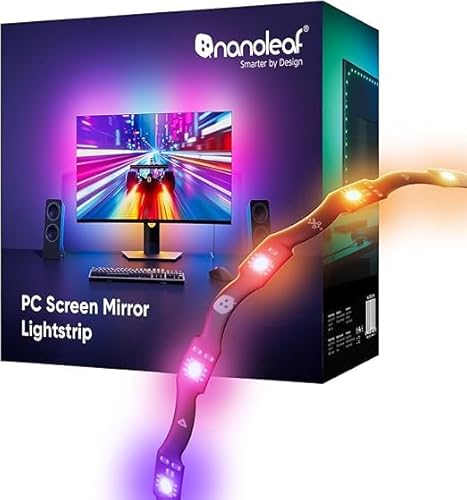
Nanoleaf PC Screen Mirror Lightstrip


As an Amazon Associate we earn from qualifying purchases. Product prices and availability are accurate as of the date/time indicated.
Key Specifications
| Feature | Specification (per Nanoleaf’s listing) |
|---|---|
| Length | 2.5 m (about 8.2 ft), zigzag layout |
| Listed monitor size | 27 to 32 inch |
| LEDs | 75 RGBIC LEDs |
| White | Tunable 2700K to 6500K |
| Brightness | Adjustable 1 to 100% |
| Power | USB-C from the computer |
| Software | Nanoleaf Desktop App, Windows and Mac |
| Mobile app | Not compatible with the Nanoleaf mobile app |
How Screen Mirror Works
The Nanoleaf Desktop App maps colors from your screen to the strip in real time, without a camera. It also captures your PC’s audio directly for music sync, so lights can react to game sound and music without relying on a microphone. As with other software kits, a console connected to the monitor bypasses the computer and will not drive the lights.
Trimming and Fit
The zigzag design is meant to sit behind most 27 to 32 inch monitors. If it is too long, you trim it at the marked cut lines, and Nanoleaf says the app remaps the lighting to the new length automatically. Trimming is permanent, so measure first: a 27 inch 16:9 monitor’s outer edge is about 6.1 ft and a 32 inch is about 7.3 ft.
Pros and Cons
| Pros | Cons |
|---|---|
|
|
How It Compares
Against the Govee G1, the Nanoleaf names Mac support and adds tunable white, while the Govee has a much longer rating history and Razer Chroma support. See Govee G1 vs Nanoleaf PC Screen Mirror.
If you also have a TV, Nanoleaf’s camera kit is covered in our Nanoleaf 4D review.
Who Should Buy It
- Mac users who want screen sync with stated support
- People who want warm or neutral white as well as color
- Desk setups with a free USB-C port and a 27 to 32 inch monitor
Who Should Look Elsewhere
- Buyers who want a long rating history
- Anyone expecting to control it from the Nanoleaf phone app
- Console players and owners of 24 inch or 34 inch ultrawide screens
Check current pricing and availability for the Nanoleaf PC Screen Mirror Lightstrip.
How We Evaluated It
We did not install this strip ourselves. The review is based on Nanoleaf’s Amazon listing and the product’s rating history at the time of review, compared on the same criteria as every kit in our monitor backlights category. Our method is on the How We Review page.
Frequently Asked Questions
Does the Nanoleaf PC Screen Mirror work on a Mac?
Yes. Nanoleaf lists the Desktop App for Windows and Mac.
Can I control it from the Nanoleaf phone app?
No. Nanoleaf states it is not compatible with the mobile app; control is through the Desktop App.
Can I cut the strip?
Yes, at the marked cut lines. Nanoleaf says the app remaps the effects to the new length.
Does it need a power adapter?
Nanoleaf lists it as powered from your computer’s USB-C port.
About the author
Ethan Cole leads research and editing at WikiHomeLED, comparing LED lighting for the home through manufacturer specs, manuals, safety listings and owner feedback. Every product is scored against the criteria on our How We Review page, and picks are updated when models change.