
Bias Lighting for Monitors: A Practical Guide
What bias lighting behind a monitor is, why 6500K white is the usual choice, how to set it up, and which kinds of strips can do it.
 By Ethan Cole
Updated October 30, 2026
Bias lighting is a light placed behind a screen so the wall around it is not dark. Behind a monitor it is usually a USB LED strip set to a neutral white. It is the quiet cousin of RGB screen-sync kits: it does not change with the picture, it just keeps the screen from being the only bright thing in the room.
A note on health claims: many listings claim bias lighting relieves eye problems. We do not repeat those claims, because they are medical claims we cannot verify. If you have eye discomfort, ask an eye care professional. For TVs, see our TV bias lighting guide.
Why 6500K White
Most computer monitors are set up for the sRGB color standard (IEC 61966-2-1), whose white point is D65, which corresponds to about 6500K. Video for HD and Ultra HD uses the same D65 white in ITU-R BT.709 and BT.2020. A bias light at about 6500K therefore sits close to the white your monitor is aiming for, so the glow around the screen looks neutral rather than warm or blue next to it.
This matters most for photo and video work, where a tinted wall can shift how you judge color. For gaming and general use, any comfortable white or a dim color is a matter of taste.
How Bright It Should Be
Dim. Bias light is meant to softly light the wall, not to compete with the screen or light the desk. Start low and raise it until the wall around the monitor is visible in a dark room without drawing your eye. A dimmer, app, or remote makes this much easier than a strip that only turns on and off.
Placement
Mount the strip on the back of the monitor, an inch or two in from the edge, facing the wall. Three sides (top, left, right) are enough for most desks; add the bottom if the monitor sits high enough for the glow to show. A light-colored, matte wall spreads the light most evenly; dark or glossy walls need more brightness. Full steps are in how to put LED lights behind a monitor.
Kinds of Strips That Work
| Type | Example | Notes |
|---|---|---|
| Fixed 6500K white USB strip | Luminoodle Bias Lighting (up to 24 inch) | Nothing to set up. 39 inch strip, 6500K, 5V 1A USB, per the listing |
| USB strip with remote and white mode | CPLID TV and Monitor Backlight | 16 colors including white, 24-key remote. Sold for 24 to 60 inch screens, so check length |
| Tunable white smart strip | Nanoleaf PC Screen Mirror Lightstrip | 2700K to 6500K and screen sync, Windows and Mac |
| RGB screen-sync kit set to static white | Skydimo-based kits such as wacuaao | Can hold a static color; whether that matches 6500K is not stated |
A dedicated white strip is the simplest way to get close to 6500K. RGB strips make white by mixing red, green, and blue, and most listings do not state the resulting color temperature. Some, like the Maylit TV strip, say outright that they have no pure white.
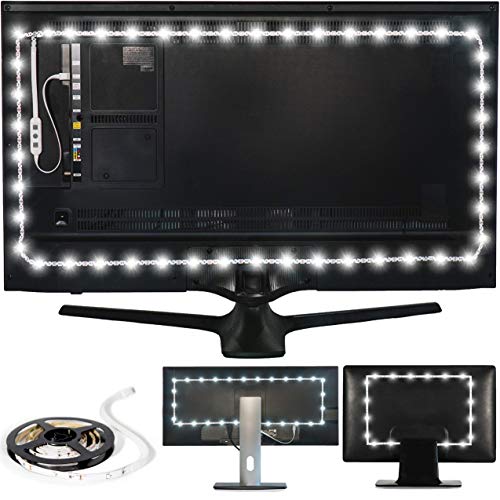
Luminoodle Bias Lighting


As an Amazon Associate we earn from qualifying purchases. Product prices and availability are accurate as of the date/time indicated.
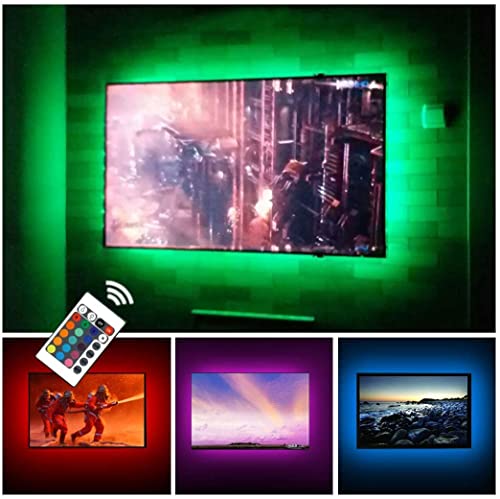
CPLID TV Backlight for 24 to 60 inches TV Monitor


As an Amazon Associate we earn from qualifying purchases. Product prices and availability are accurate as of the date/time indicated.
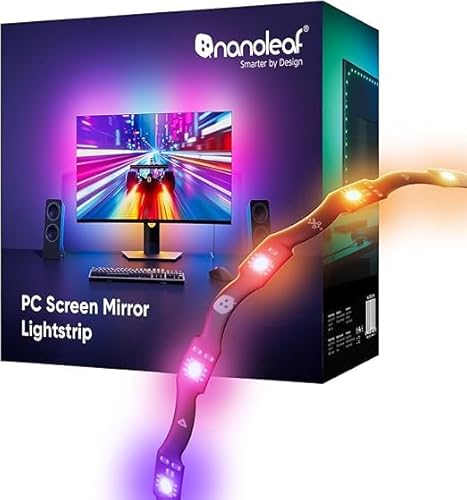
Nanoleaf PC Screen Mirror Lightstrip


As an Amazon Associate we earn from qualifying purchases. Product prices and availability are accurate as of the date/time indicated.
Bias Lighting on OLED Monitors
The same principles apply to OLED monitors: a neutral, dim light behind the screen. OLED panels can show true black, so a bias light changes how the room around the screen looks rather than the panel itself. Keep the strip off the panel’s vents and follow the monitor maker’s guidance on what can be attached to the back.
When to Choose RGB Sync Instead
If you want the light to follow games and video, a screen-sync kit is the better fit, and most can still be set to a calm static color for work. See our guide to the best monitor backlights.
Who Should Look Elsewhere
If you want the light to change with games and video, bias lighting will feel static; choose a screen-sync kit from our monitor backlight guide. If your desk is lit by daylight or a bright room light most of the time, a bias light adds little.
Sources
The sRGB white point is defined in IEC 61966-2-1; HD and Ultra HD white points in ITU-R Recommendations BT.709 and BT.2020. Product details come from each maker’s Amazon listing, checked October 2026. We did not install these kits ourselves. Our method is on the How We Review page.
Frequently Asked Questions
What color should monitor bias lighting be?
Neutral white around 6500K, which matches the D65 white point of the sRGB standard most monitors use. Any dim, comfortable light works if color accuracy is not a concern.
Can I use an RGB strip for bias lighting?
Yes, set to a static white or dim color. Most RGB listings do not state the color temperature of their white, so a dedicated 6500K strip is more predictable.
How long should a bias light strip be for a 27 inch monitor?
A 27 inch 16:9 monitor’s outer edge is about 6.1 ft. Three sides need a bit less, since the bottom is skipped and the strip sits in from the edge.
Is bias lighting the same as a monitor light bar?
No. A light bar sits on top of the monitor and lights the desk. Bias lighting sits behind and lights the wall.
About the author
Ethan Cole leads research and editing at WikiHomeLED, comparing LED lighting for the home through manufacturer specs, manuals, safety listings and owner feedback. Every product is scored against the criteria on our How We Review page, and picks are updated when models change.